
THE PRODUCT TODAY
Connect what you eat with how you move.
Bring the food you record and your activity into one view of estimated calorie balance. Review a day, week or month, with sleep alongside, to understand your patterns and support your chosen goals.
For iPhone and iPad. Premium access requires CORPUS Pro.
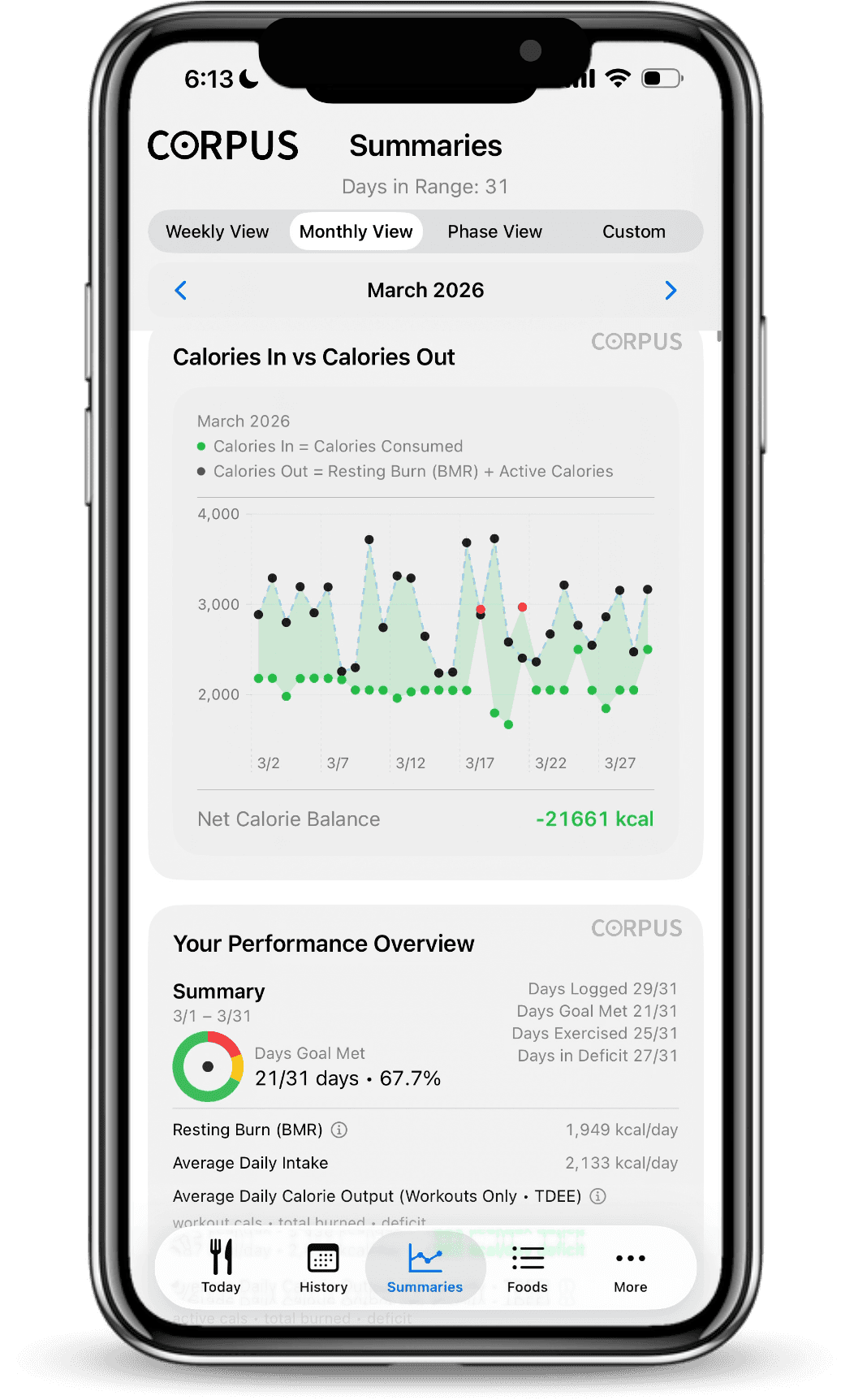
The longer view: recorded intake beside estimated calories out. Official app detail · illustrative data.
HOW ESTIMATED CALORIE BALANCE WORKS
Two sides of one useful comparison.
Logged intake − estimated Total Burn = estimated calorie balance
See how the food you have recorded compares with estimated energy use. A negative balance indicates a deficit; a positive balance indicates a surplus.
Your day takes shape as you add food and activity arrives. The guide below explains how CORPUS calculates burn and balance, and how to interpret an unfinished day.
Movement and sleep belong beside the meal.
With your permission, CORPUS can bring in activity that compatible devices and apps share with Apple Health. You record the food; CORPUS brings the numbers together.
Record sleep and review it alongside nutrition and movement. Keep that context in view as you look back at a day or a longer period.
No wearable? You can still record food, build Recipes, reuse Meal and Day Templates, and review your nutrition history.
Sleep History · official app detail with illustrative data.
01 · Record the food you actually eat.
Add food from your Pantry, search USDA entries, scan a nutrition label, or enter it manually. Record ingredients and gram amounts alongside calories, macros, fiber, and selected micronutrients.
See food-source information during selection and logging. Check that the reference actually matches your food and the portion you intend to record.
02 · Cook a batch. Record your portion.
Build reusable Recipes from pantry foods, USDA entries, label scans, or manual entries. Set the finished recipe weight to calculate nutrition for the whole batch and per 100 g.
The calculation depends on the ingredient references and weights you provide. Finished weight makes portion arithmetic consistent; it does not make the underlying nutrition exact.
03 · Make tomorrow easier to record.
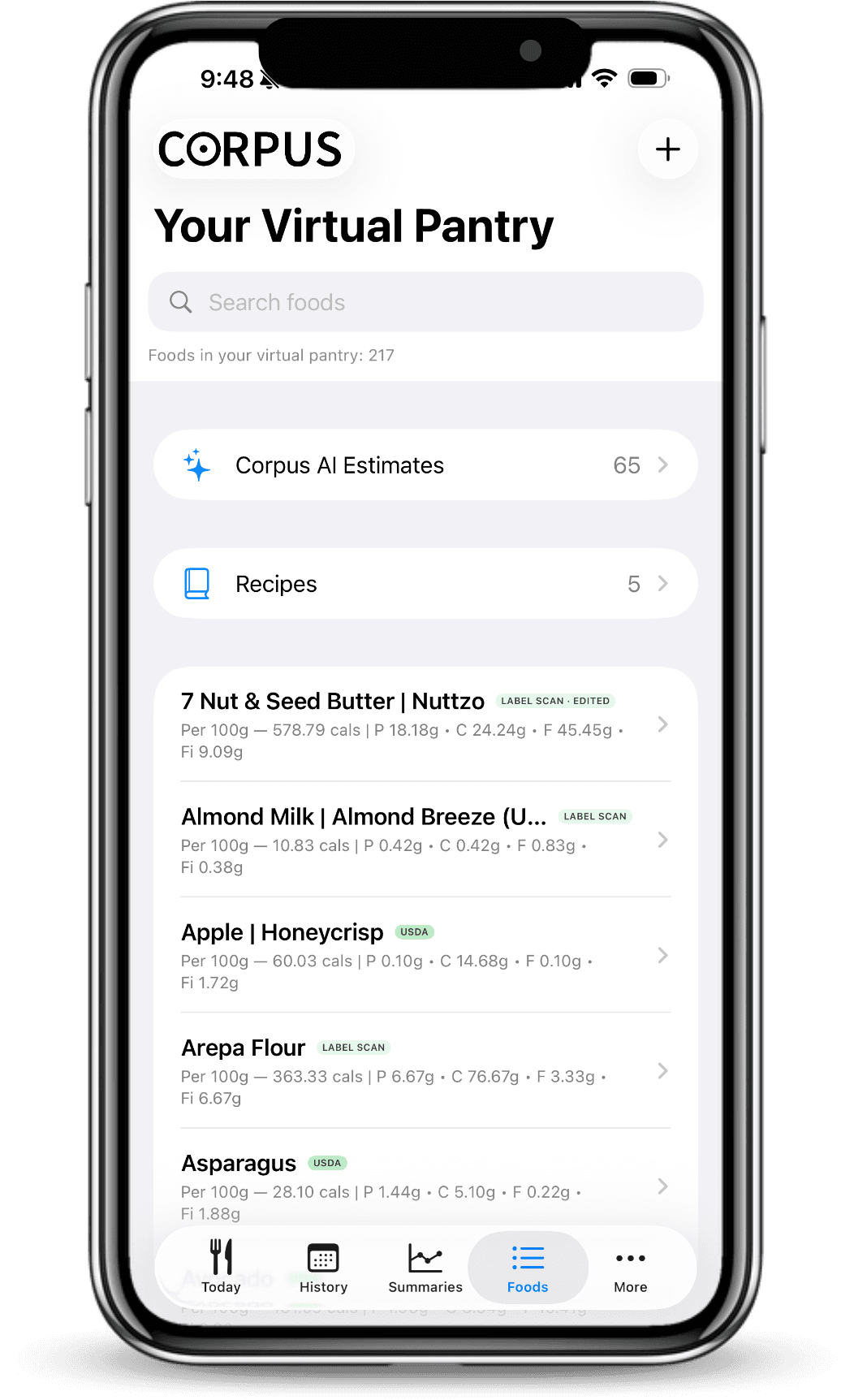
Reuse saved Meal Templates and Day Templates, and copy meals or complete days. Plan food for future dates without rebuilding every familiar entry.
Search foods, AI estimates, and Recipes together in your Pantry. A reused photo estimate keeps its originally accepted portion and remains an estimate.
04 · See the bigger picture over time.
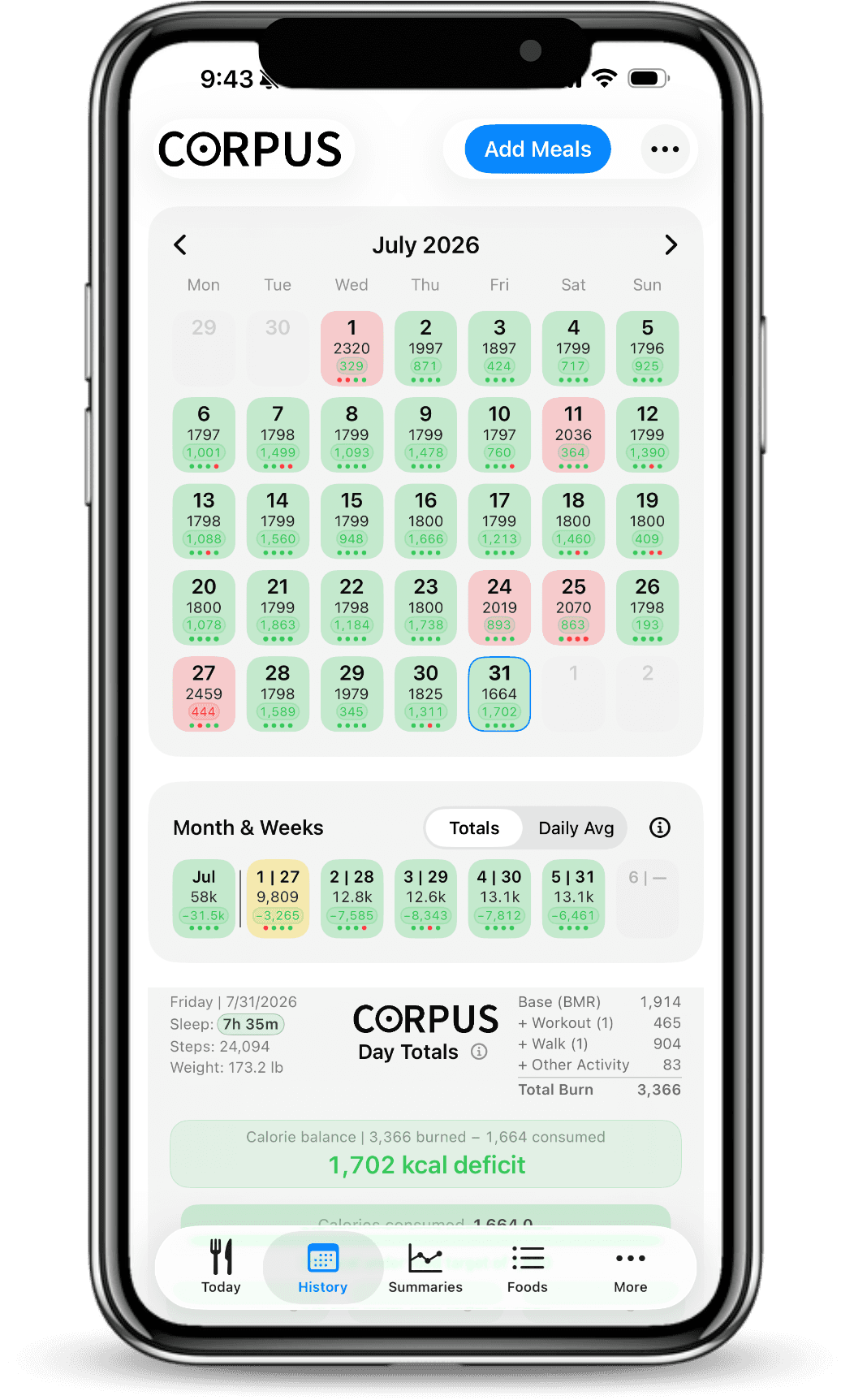
History calendar · day and week records with illustrative data. Interface varies by version.
Switch between day, week and month views. See totals or daily averages, then revisit individual days to understand what is behind the numbers.
An average is only as useful as the days behind it. Check which days contain food records before comparing periods; a missing meal can change the picture.
What the record can and cannot tell you.
A weighed portion is a measurement. Nutrition values and energy expenditure still involve estimates. CORPUS gives you a record to examine, not a promise of an outcome.
You choose the goal. A deficit, maintenance or a different direction can be considered in the context of your records. Neither a balance nor a pattern alone proves a change in body tissue or its cause.
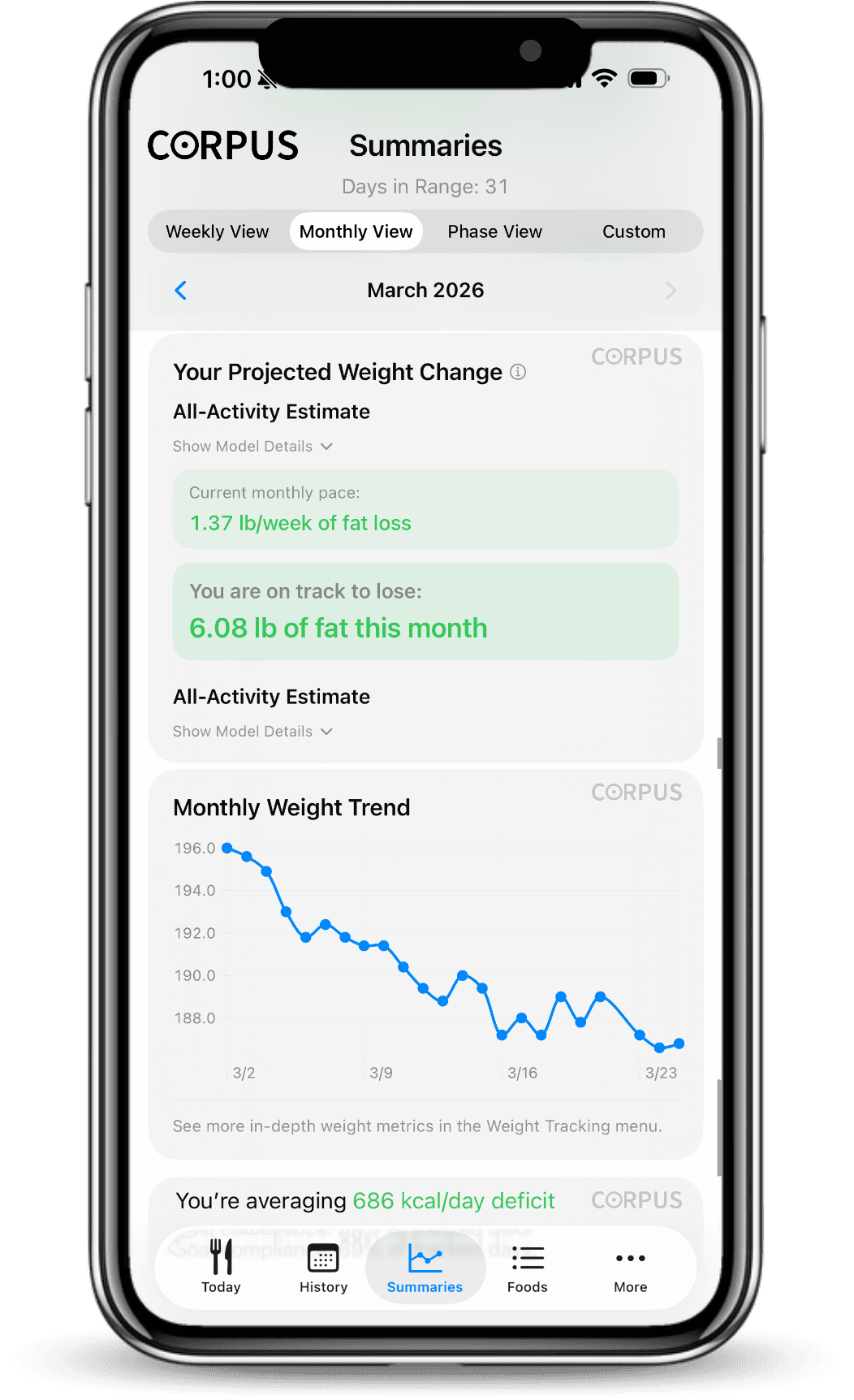
Projection shown is an estimate, not a promised result. Illustrative app data.
For iPhone and iPad. Requires iOS / iPadOS 26.1 or later. Premium access requires CORPUS Pro; current plans are shown in the App Store before purchase.